Your Library. Your Way.
Book Tracker – ISBN Library
Scan ISBN barcodes, catalogue your shelves, and organise your personal library in seconds. Private, offline-first design for iPhone-no account required.
Download Free on the App Store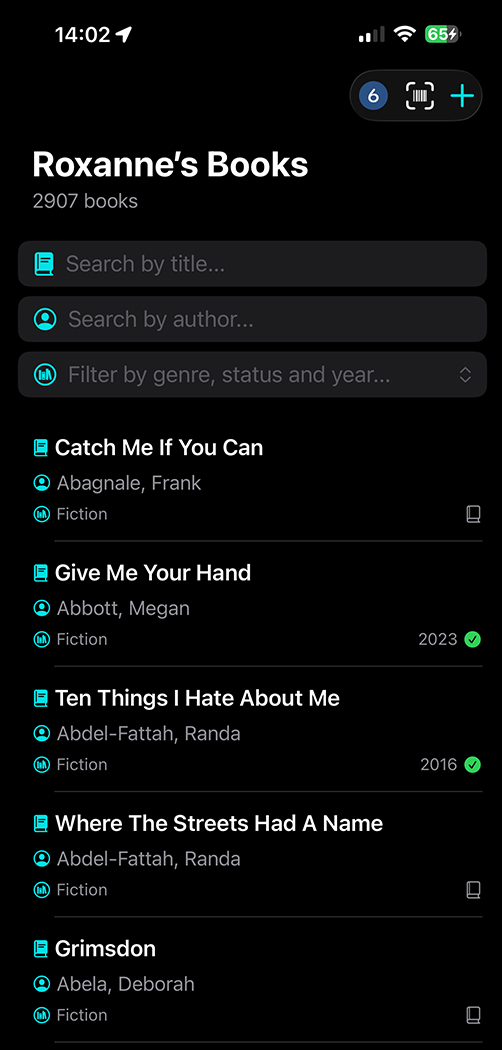
Download free on the App Store for iPhone.
Try the full experience with 26 sample books. Upgrade for unlimited ISBN scanning and full CSV export—annual plan with a 7-day free trial, or lifetime access.

Key Features of Book Tracker – ISBN Library
The simple, private iPhone app to catalogue every book you own.
Scan ISBN barcodes, import spreadsheets, organise your collection, and use your library offline.
ISBN Barcode Scanner
Point your iPhone camera at any book barcode and watch title, author, and details appear while you are still holding the book—fast, tidy, and keyboard-free catalogueuing.
Import & Export CSV
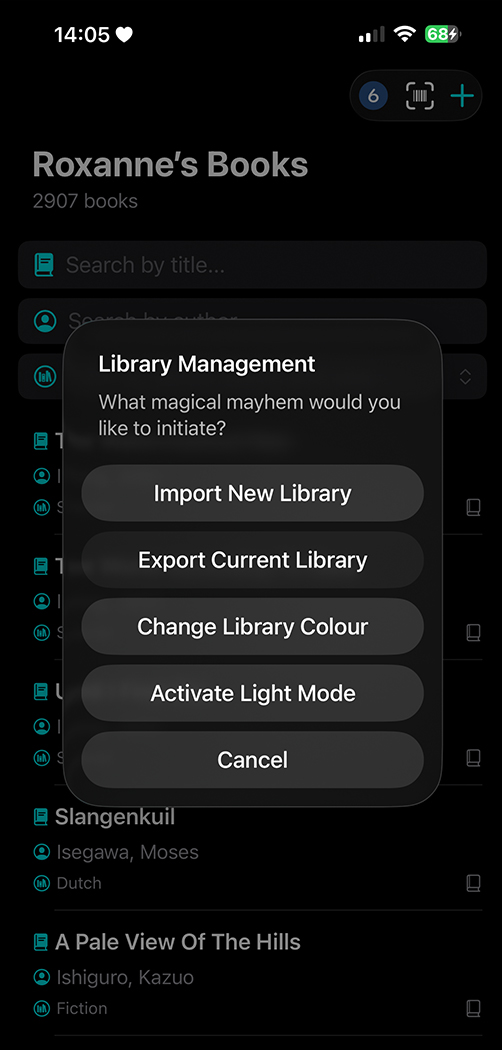
Bring an existing spreadsheet into Book Tracker from Excel or CSV, or export your library for backup. See the import / export guide for column headers and an example file.
Organise Your Collection
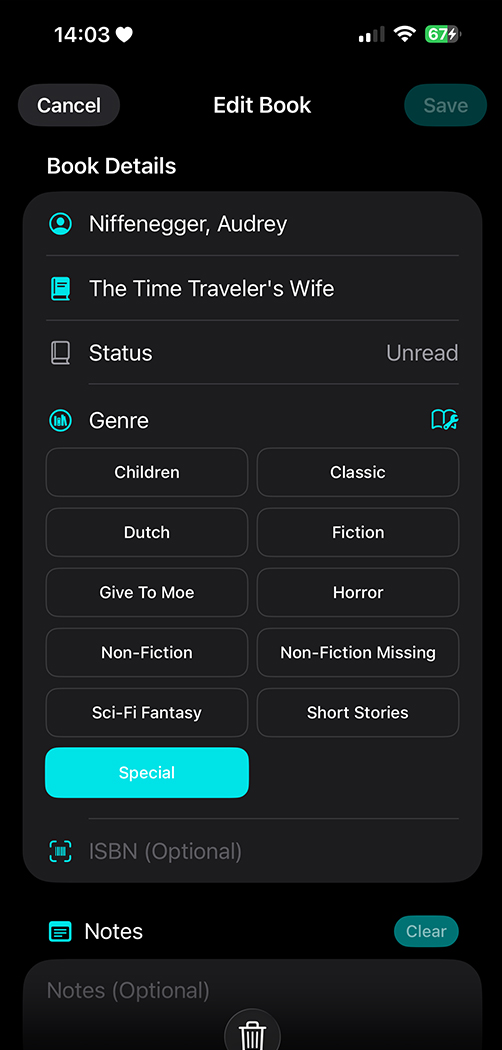
Track title, author, genre, reading status (TBR, currently reading, read, DNF, custom statuses, and more), ISBN, and personal notes. Edit or delete entries anytime.
Search Your Library
Search and filter your catalogue by title, author, genre, or status—ideal in second-hand bookshops when you want to check if you already own a copy.
Add by Hand
Prefer typing? Add as many books as you like manually—no scan required, and no account needed to build your collection.
Custom Themes
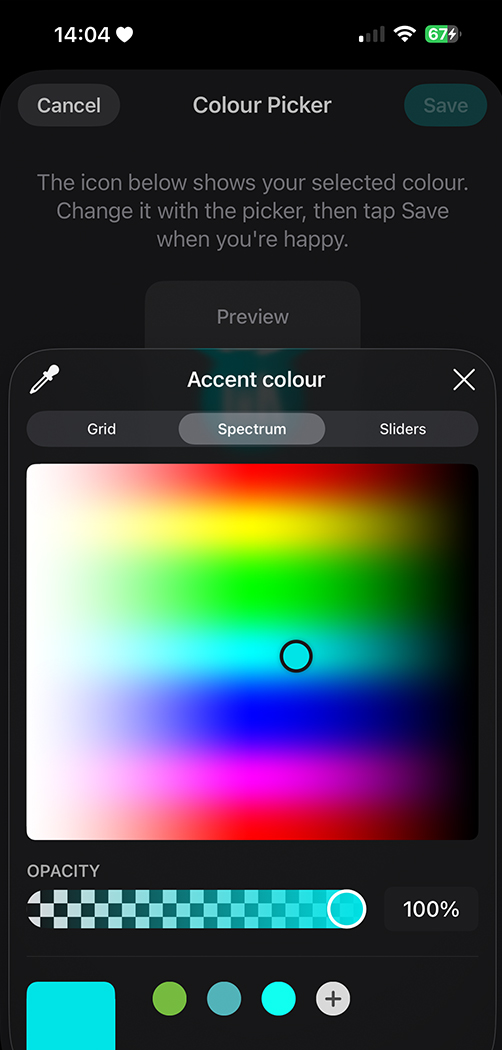
Make your library feel like yours—pick custom colour themes for icons and accents, so browsing your shelves looks as personal as the books you collect. Still clean, still clutter-free, just with your vibe.
Private & Offline
Your library lives on your iPhone. Browse, search, and manage books offline with no ads tracking you. Only ISBN scans and spreadsheet imports need a connection.
Built for Readers
Whether you have a shelf of favourites or a growing collection of books, comics, or manga—keep everything in one place.
What Readers Say on the App Store
I have been looking for a straightforward library app that will allow me to keep track of my 2800+ books which I used to manage via a spreadsheet. This one is perfect as it has allowed me to import all my existing books instantly, and I can add any new books in a second using the ISBN scanner. It’s so clean, uncluttered and simple while still offering heaps of functions, like quick searches, marking books as read, and allowing me to filter by customisable genres as well as by author, title and status. I also love that I can change the colour of all the icons!
12 MAY 2026
Amazing library app
This is fantastic! I don’t always remember titles and have lost count of the number of books I’ve bought again only to find, a chapter or so in, that I remember reading it before. This will keep me on track!!
20 MAY 2026
Kistandra
I really enjoy using this app. It is so easy to catalogueue all my books by scanning barcodes or entering manually. I like seeing unread books listed and organised by genre, and the notes I can add for each title. Handy in second-hand bookshops to check if I already own a copy.
15 JUNE 2026
Babs Avis
I have been looking for a simple library app for ages and this ticks all the boxes for me! The export function is a game changer.
4 MAY 2026
Sauasageplop
Installation of the app was very straightforward and logical to use. Get organised—no excuse now!
25 MAY 2026
OSWALD78
Just what any enthusiastic reader needs.
27 JUNE 2026
ThomasBirdfr
Frequently Asked Questions
Book Tracker – ISBN Library gives you three ways to build your collection on iPhone. Scan an ISBN barcode with your camera for instant title and author details, type entries in by hand, or import a full list from Excel or CSV. The free version includes a curated selection of 26 books so you can explore how the library works—search, filter, status, notes, and themes—before you decide to upgrade. You can also add your own books and use every core feature; paid extras (such as unlimited online ISBN lookups and full export) unlock when you are ready. Download Book Tracker – ISBN Library free on the App Store to try it yourself.
No. Book Tracker – ISBN Library never requires an account, email sign-up, or cloud login. All you need is an iPhone. Your personal library stays on your device, and free users can add as many books as they like by typing them in manually. Optional Apple in-app purchases unlock paid extras—such as generous everyday ISBN scanning and full CSV export—for collectors who want the fastest workflow. Privacy-first by design: no social login, no ads profile, no forced registration.
Book Tracker – ISBN Library is free to download on the App Store. The free tier lets you explore the full library experience with a curated set of 26 books, add your own titles by hand, search and organise your collection, and try the scanner with a limited allowance of online ISBN lookups.
When you want more power, choose one of two unlock options managed entirely through Apple in-app purchases:
- Annual subscription — includes a 7-day free trial, then renews yearly. Unlock generous everyday ISBN scanning limits and every premium feature, including full library export.
- Lifetime access — a one-time purchase that unlocks the same premium features without a recurring charge.
Subscriptions and lifetime purchases are billed by Apple and can be managed or cancelled in your Apple ID settings. Start with the free download, try the trial if you want unlimited scanning and export, and keep using the free tools for as long as you like.
Yes. If you already track books in Excel, Numbers, Google Sheets, or another spreadsheet, export to UTF-8 CSV and import the file into Book Tracker – ISBN Library in one go—ideal when moving from a paper list or another library app. The import supports columns such as Book ID, Author, Title, Genre, ISBN, Status (including custom statuses), and Notes. Full CSV export of your library is available as a premium feature for backups and sharing. For exact headers, status rules, and a downloadable sample file, see our import and export guide.
Yes—Book Tracker – ISBN Library is built to work offline. After you install the app, you can browse, search, filter, edit, add books by hand, and manage statuses and notes with no internet connection. The only features that need a network are online ISBN barcode lookups when you scan new titles, and importing a spreadsheet file from the cloud or another online source. Opening or saving a library export that already lives on your iPhone (for example in Files or On My iPhone) does not require internet. Your catalogue stays private on your device whether you are at home, in a bookshop, or travelling.
The free download of Book Tracker – ISBN Library includes a starter library of 26 books, unlimited manual book entry, search and filters, reading statuses (including custom statuses), notes, themes, and a limited allowance of online ISBN scans so you can try the barcode scanner. Paid unlocks (annual with 7-day trial, or lifetime) expanded everyday scanning limits, and enables full CSV export, and includes book status customisation. Everything else you need to organise a personal book collection is available without an account—just get Book Tracker – ISBN Library on the App Store.
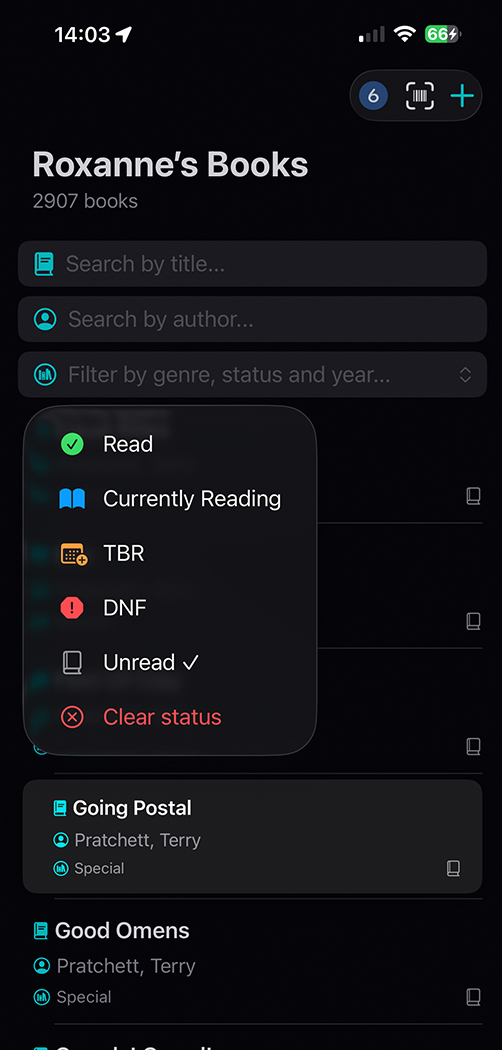
Yes. In Book Tracker – ISBN Library, alongside built-in statuses such as TBR, Currently Reading, Read, DNF, and Unread, you can add up to three custom statuses library-wide—for example On Loan, Book Club, or Wishlist. Manage them from the Status menu when you long-press a book, add a book, or edit a book. Custom statuses appear in filters with coloured hearts and round-trip correctly when you import or export CSV. Details are in the import / export guide.
Book Tracker – ISBN Library is designed for iPhone and is available free on the Apple App Store. It is not an Android app. Download it for iPhone to scan barcodes, catalogue your shelves, and keep your reading list organised offline.
Open the App Store on your iPhone, search for Book Tracker – ISBN Library, or tap Download Free on the App Store. Install Book Tracker – ISBN Library, explore the 26 sample books, add a few of your own titles by hand or with the scanner, and organise your collection your way—no account setup required.
We welcome feedback on Book Tracker – ISBN Library—bug reports, feature ideas, and general comments all help improve the app.
- Send feedback or request a feature — use the contact form at the bottom of this page, or email info@6ixdesign.com.au. Include as much detail as you can (what you tried, what you expected, and your iPhone model or iOS version if it is a bug).
- Leave an App Store review — open Book Tracker – ISBN Library on the App Store, scroll to Ratings & Reviews, and tap Write a Review. Honest ratings help other readers find the app.
Feature requests are reviewed carefully; not every idea can ship quickly, but every message is read. Thank you for helping make Book Tracker – ISBN Library better.
Get Book Tracker on the App Store
Get Book Tracker – ISBN Library—scan barcodes, organise your shelves, and keep your collection private on your device.